 K Instruments

SoundDeck
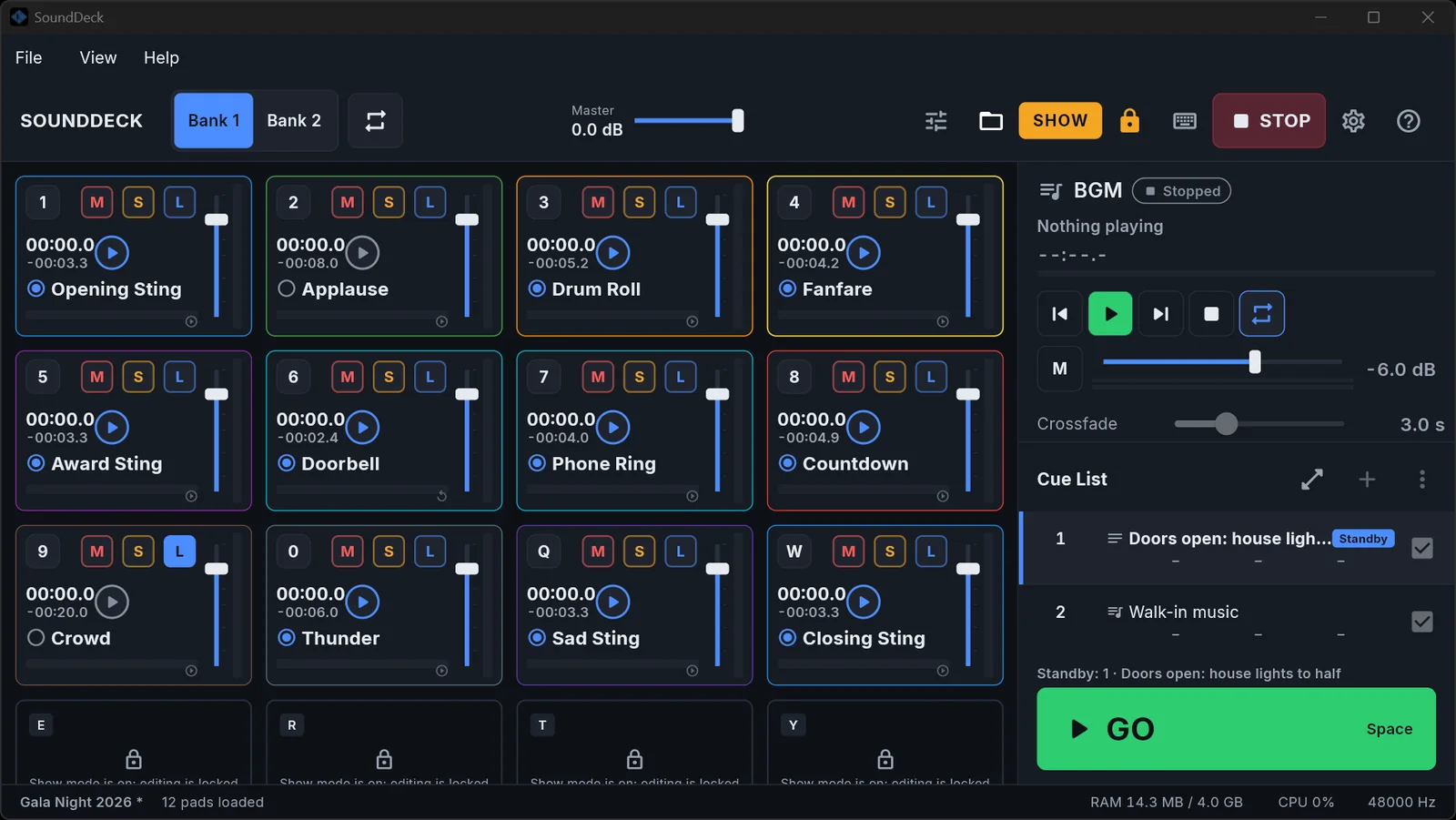
The audio player for live shows. Fire sound effects from 32 pads, run walk-in music with crossfades, step through your show with one big GO, and silence everything with one STOP. Built for weddings, galas, conferences and theatre.
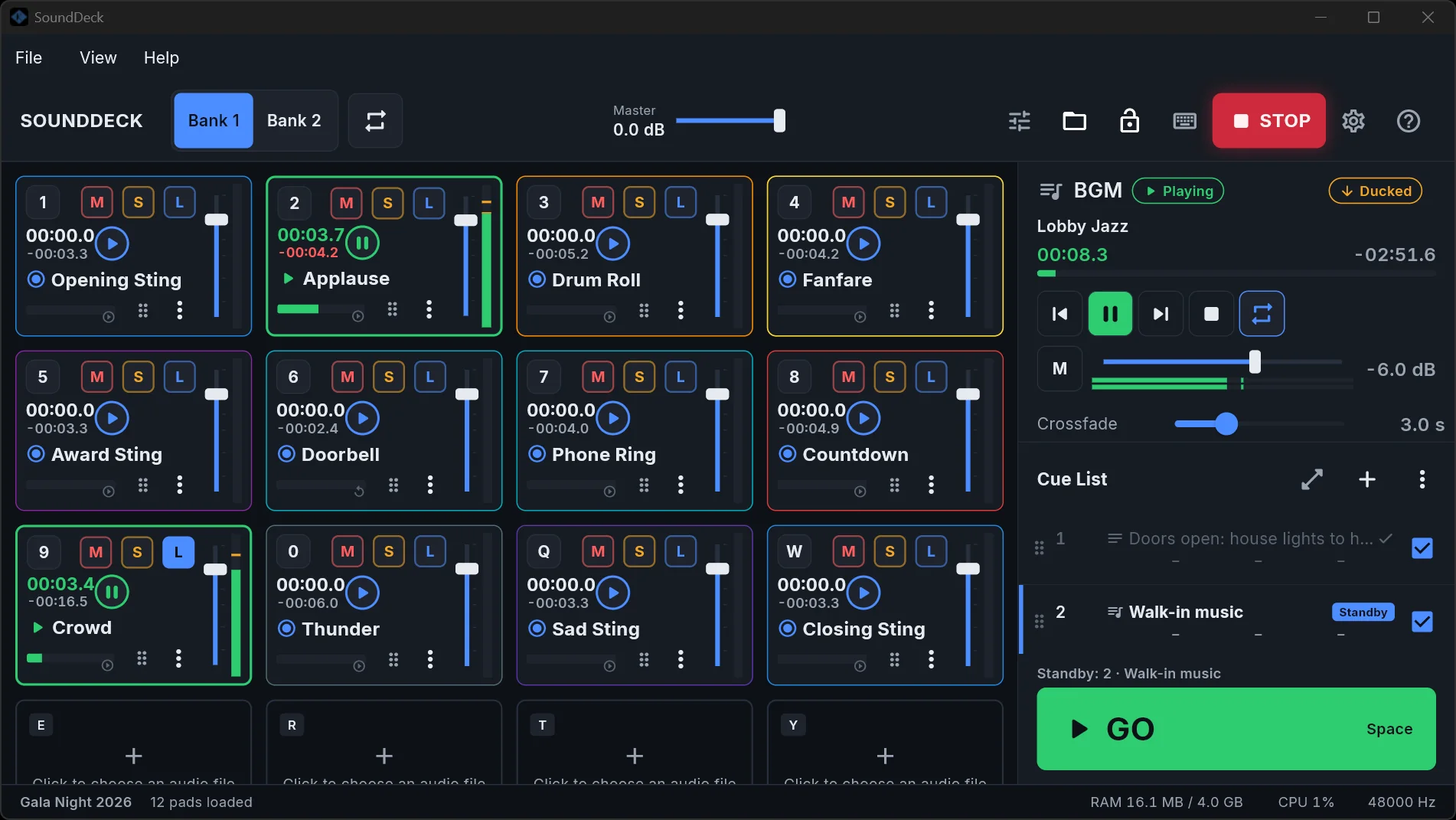
Everything a show needs, on one screen
Pads, background music and a cue list side by side, so you never dig through menus during a show.
Pads
32 pads, ready when you are
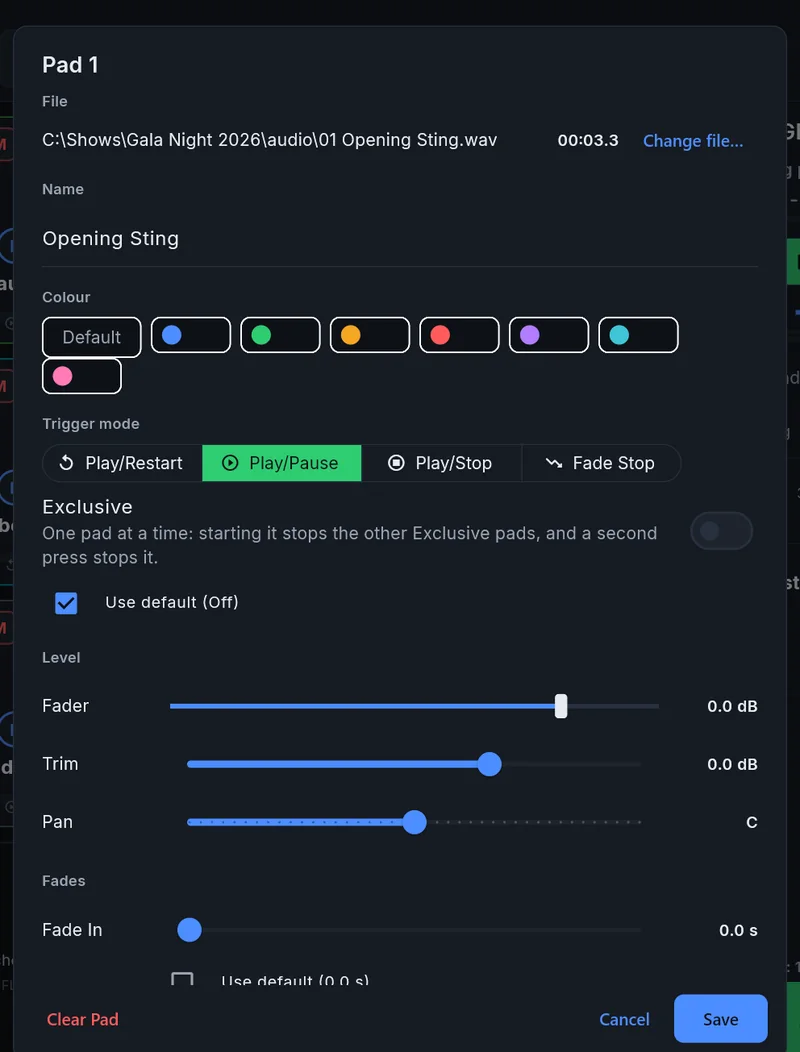
- 2 Banks of 16, each with its own keyboard key, colour, Fader, Trim and Pan.
- Trigger modes: Play/Pause, Play/Restart, Play/Stop and Fade Stop.
- Mute, Solo and Loop on every pad, with live meters and a red countdown in the last 10 seconds.
- Exclusive pads: one at a time, so a new song stops the old one.
- Drag a file onto a pad, or drag pads to swap them.
Cue List
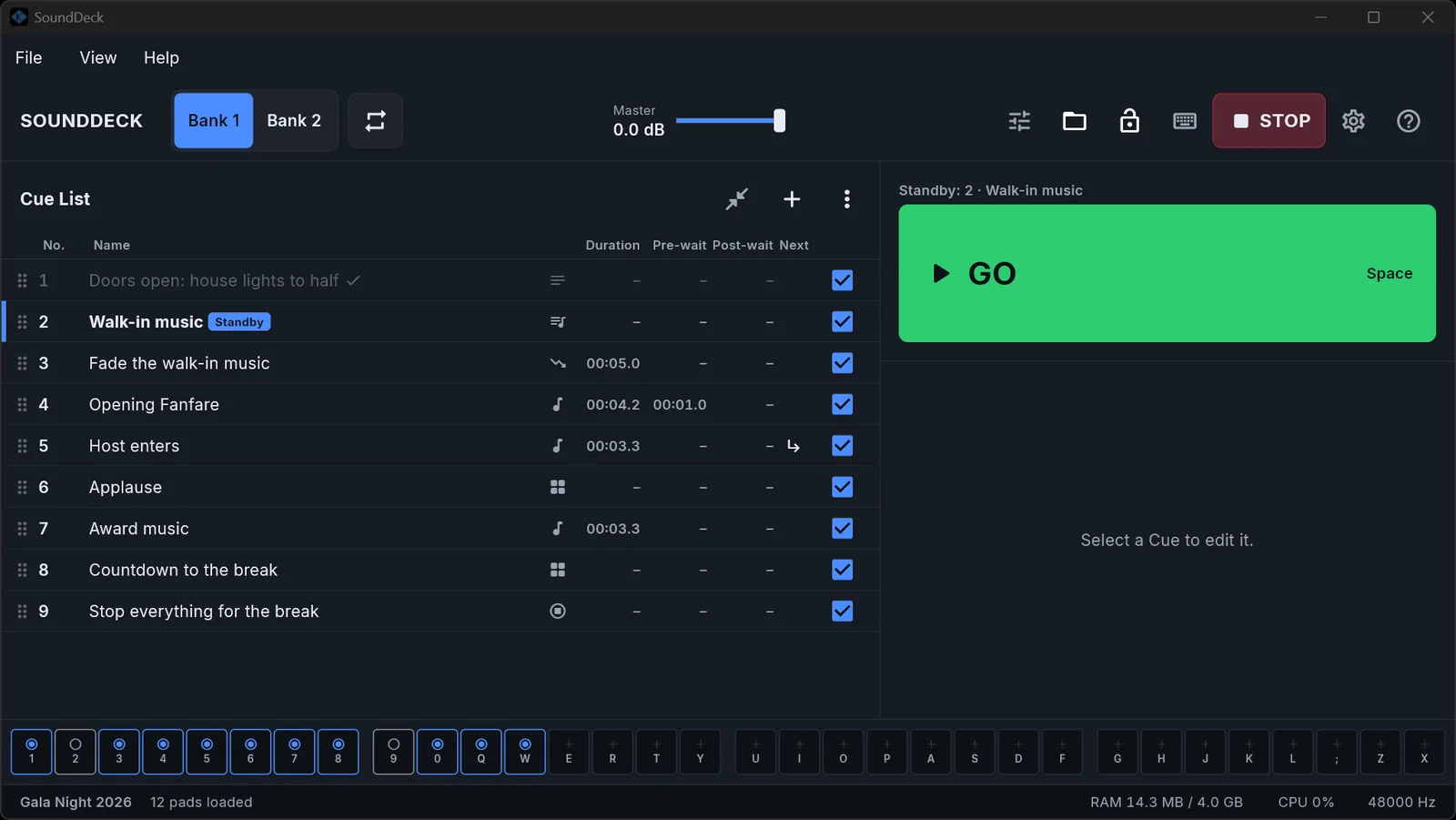
Press GO. The show runs.
- A theatre-style Cue List with Standby and Playhead. GO is the space bar.
- Pre-wait, Post-wait, Auto-continue and Auto-follow for timed sequences.
- Audio, Fade, Stop, Pad, BGM and Memo cues. Drop files to make cues.
BGM & Mixer
Music that gets out of the way
- BGM playlist with sample-accurate crossfade or gapless playback, imported from files or a whole folder.
- Ducking: the BGM dips automatically under the pads.
- MC TALK: one button (or F4) lowers everything while the MC speaks, then brings it back.
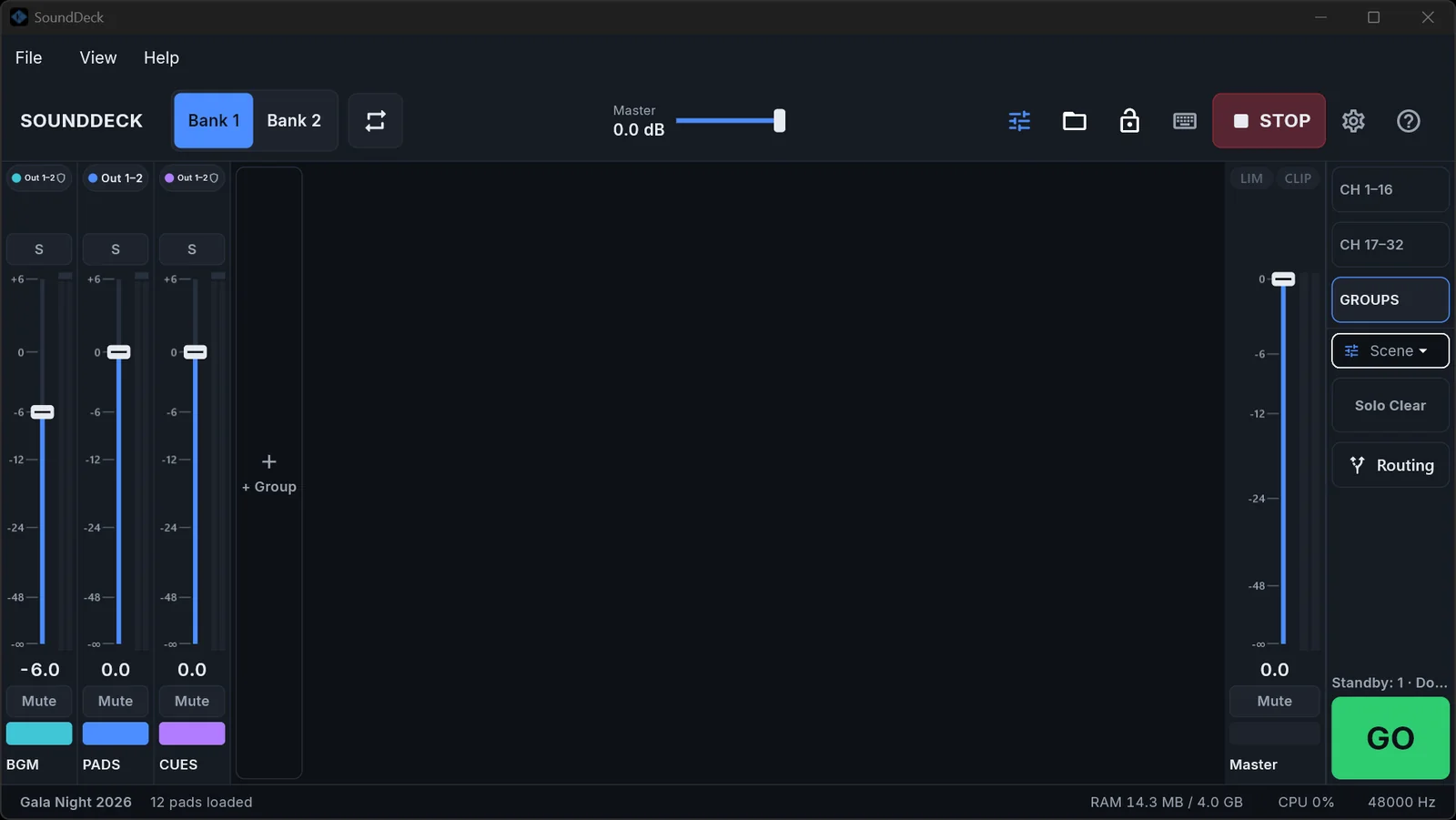
- Mixer console: 32 channel strips, Groups, Solo-in-place, Master Limiter and Mixer Scenes.
Show mode
Safe while the lights are down
- Show Lock: editing is locked; playback, Faders, GO and STOP always work.
- STOP (Esc) silences everything at once, hard or with a short fade, even while you type.
- Autosave and crash recovery. Missing files can be relinked.
- Show Packages (
.sdpkg) bundle a show with all its audio to move it between computers and tablets.
Pro I/O
Plays nicely with your rig
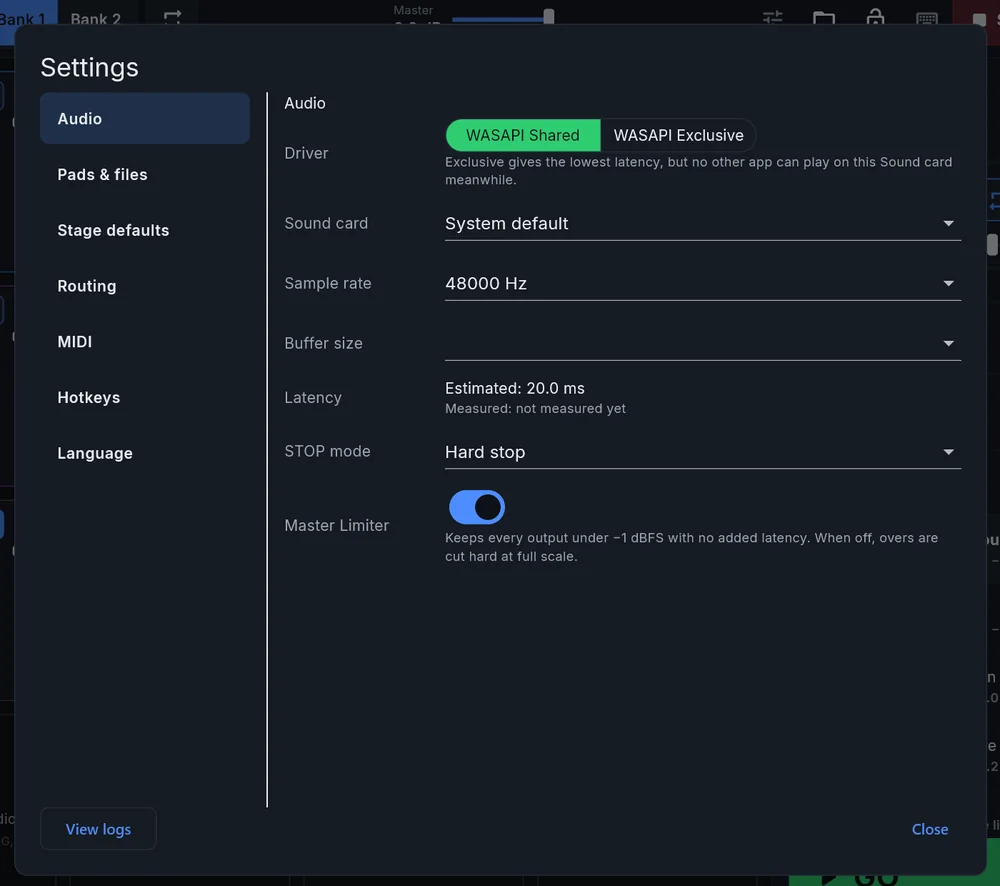
- WASAPI Shared and Exclusive on Windows for the lowest latency.
- Output routing to any stereo pair of a multi-channel interface.
- MIDI input with MIDI Learn, OS-wide hotkeys and page-turner foot switches.
- English and Vietnamese interface and a full user manual (PDF) in both languages.
Android
The same show on a tablet
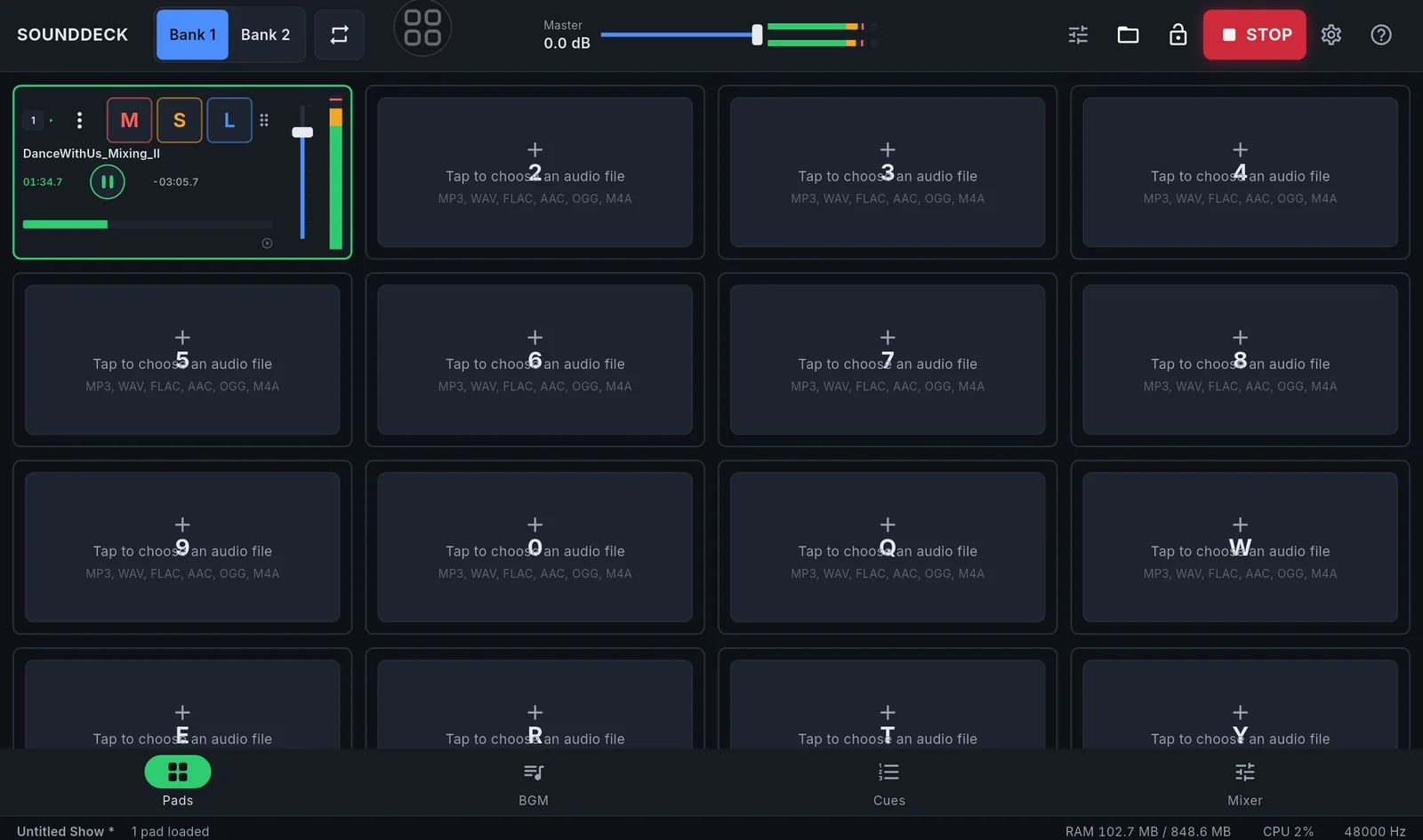
- Pads, BGM, Cues and Mixer in tabs, designed for touch.
- On phones a swipe scrolls the pad grid; a pad only fires from its Play button.
- Open a Show Package made on Windows and play it as is.
System requirements
| Windows | Windows 10 or 11, 64-bit (x64) |
|---|---|
| Android | Android 8.0 (Oreo) or newer, phone or tablet |
| Audio | Any sound card. WASAPI Shared or Exclusive on Windows; multi-channel interfaces supported |
| Files | MP3, WAV, FLAC, AAC, OGG, M4A |
| Control | Keyboard hotkeys, MIDI controllers, page-turner foot switches |
| Languages | English, Tiếng Việt |
Download
SoundDeck is in use at live shows now and will be available to download soon. Leave your email and you'll hear first when it's out.
Changelog
- 1.3.1 "Elephant"Nov 15, 2026
A clearer TALKOVER button, pads that don't fire when you scroll on a phone, Export Show Package on Android, a side-by-side Routing matrix, a larger first window on Windows and one application menu everywhere.
- 1.3.0 "Dolphin"Nov 15, 2026
MC TALK (talkover) dips everything while the MC speaks. A user manual (PDF) in English and Vietnamese under Help. Audio cues straight from files, one-row phone layout, a resizable desktop window, and a fix for show folders with Vietnamese names.
- 1.2.0Nov 13, 2026
Exclusive pads (one at a time), an end-of-track warning, a highlighted channel in the Mixer, Settings in tabs and a cleaner pad tile.
- 1.1.0Nov 12, 2026
The Mixer release: a 32-strip Mixer Console, Groups, Solo-in-place, Master Mute, Master Limiter, Mixer Scenes, Stage Presets, Loop all and a new app icon.
- 1.0.0Nov 12, 2026
First release: 32 pads in 2 Banks, BGM playlist with crossfade and ducking, Cue List with GO, STOP, Show mode, Show Packages, WASAPI, MIDI Learn and English/Vietnamese.